Revenue Automation

Process months of revenue statements in an afternoon.

Joltly reads check stubs from any operator, maps every line item to your wells and leases, and prepares owner distributions — automatically. No manual entry. No month-end fire drills.

Revenue statement, fully mapped
Suggested capture: a revenue statement opened in Joltly with operator info, wells listed, gross/tax/deductions stats, and the "Ready to distribute" status pill visible.
The workflow

Three steps. Powered by AI.

Every revenue statement that hits Joltly follows the same path. The hard parts happen on their own — you only step in for the parts that need judgment.

Step 01 · Parse

PDF parsed instantly

Drop any check stub from any operator. Joltly extracts every line item without templates or per-operator setup.

Typical extraction
52 wells · 14 seconds
Step 02 · Map

Wells auto-mapped

Every line gets matched to your wells and leases. Joltly remembers the next time — same operator, zero clicks.

Match rate
96% on second statement
Step 03 · Distribute

Owners distributed

Royalty, override, working interest — every owner's share calculated against your DOI. Hit Approve and the journal entries flow straight to your books.

Upload to approval
Under 2 minutes
Chat with Sales
Operator coverage

Every operator. Every format. Every state.

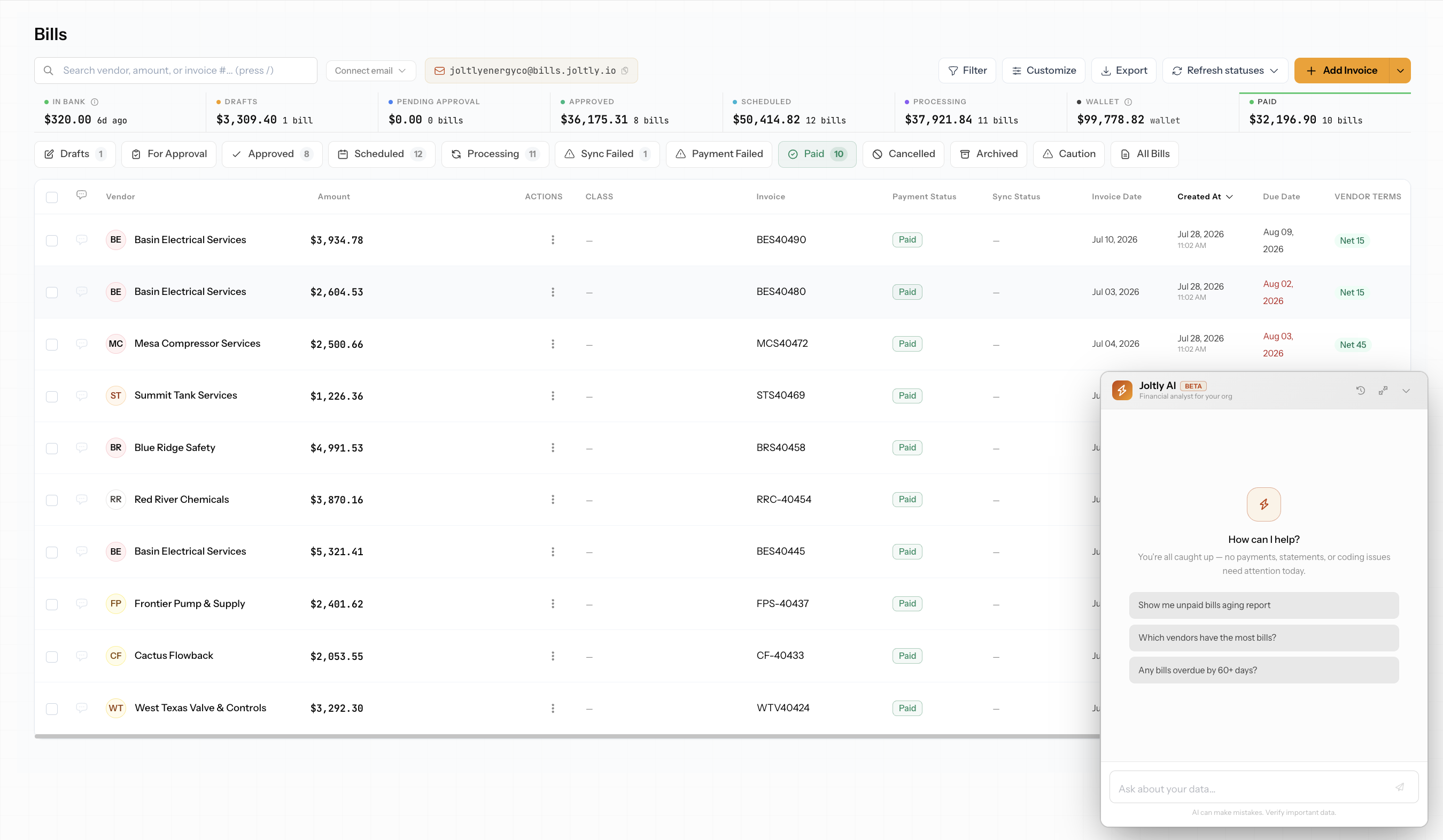
Apache, Marathon, Crescent, Permian, EOG, Comanche, Magnolia, Sabinal — the list goes on. Joltly handles them all without templates or setup. New operator on a one-off check? Drop the PDF and we figure it out.
app.joltly.io/revenue/statements
Screenshot · operator coverage
Multi-operator statement queue
Show: the statement queue with tabs (Drafts, Approved, Month Close, All Statements) and 6+ operator rows visible — Terra Energy, Apache, Crescent, Marathon, Permian, Magnolia. Status pills (Draft / Mapped / unmapped) visible on each row.
Built for volume

Track every dollar by operator, product, and well.

From one well to ten thousand line items a month. Joltly keeps a real-time picture of where your revenue is — what's in draft, what's approved, what's headed where — broken down the way accountants need to see it.

app.joltly.io/revenue/volume
Screenshot · volume tracking
Volume dashboard · operator / product / well
Show: the volume tracking dashboard with operator and product breakdowns, well-level bar charts (oil/gas/NGL splits) and aggregate totals at the top.
End to end

Five steps. You touch two of them.

The full path from operator PDF to journal entry in your books. Joltly handles the boring parts. You handle the decisions.

01
Upload
Human · 5 sec
Drop the PDF or forward the email.
02
Parse
Auto · 14 sec
Every line item extracted, structured, ready.
03
Map
Auto · instant
Wells, leases, owners — matched to your books.
04
Approve
Human · 60 sec
Review what changed. Click Approve.
05
Distribute
Auto · instant
Journal entries to your books. Statements to owners.
Chat with Sales
Ready when you are

Process your next statement in two minutes.

Bring one operator PDF to a demo and we'll parse it live. No setup, no templates, no slides. Just your statement, on screen, mapped end-to-end before the call is over.

90-second tour
1:32
â–
Operator coverage

Every operator. Every format. Every state.

Apache, Marathon, Crescent, Permian, EOG, Comanche, Magnolia, Sabinal — the list goes on. Joltly handles them all without templates or setup. New operator on a one-off check? Drop the PDF and we figure it out.


app.joltly.io/revenue/statements
Screenshot · operator coverage
Multi-operator statement queue
Show: the statement queue with tabs (Drafts, Approved, Month Close, All Statements) and 6+ operator rows visible — Terra Energy, Apache, Crescent, Marathon, Permian, Magnolia. Status pills (Draft / Mapped / unmapped) visible on each row.
Operator coverage

Every operator. Every format. Every state.

Apache, Marathon, Crescent, Permian, EOG, Comanche, Magnolia, Sabinal — the list goes on. Joltly handles them all without templates or setup. New operator on a one-off check? Drop the PDF and we figure it out.

app.joltly.io/revenue/statements
Screenshot · operator coverage
Multi-operator statement queue
Show: the statement queue with tabs (Drafts, Approved, Month Close, All Statements) and 6+ operator rows visible — Terra Energy, Apache, Crescent, Marathon, Permian, Magnolia. Status pills (Draft / Mapped / unmapped) visible on each row.